18 Top Tips for Securing Electronic Documents | Proof
The article "18 Top Tips for Securing Electronic Documents" emphasizes that protecting sensitive digital records requires a comprehensive, layered security approach—including strict access controls, encryption, version tracking, secure destruction beyond simple deletion, and regular security testing—to mitigate both external cyber threats and significant insider risks, especially as cybercrime costs escalate globally.
New
Proof launches portable digital identity for banks
Introducing portable identity

Updated September 15, 2026
Cybercrime is projected to cost the global economy $10.5 trillion annually by 2025. For businesses managing sensitive records across distributed teams, securing electronic documents is no longer a back-office concern. It is a front-line business risk.
Your digital security is only as strong as your weakest control. The tips below give you a structured, layered approach to protecting electronic documents against both external attacks and internal mishandling.
Key takeaways
- Securing electronic documents requires layered controls across access, encryption, version tracking, and secure destruction. No single measure is sufficient on its own.
- Insider threats account for a significant share of document security failures. Limiting access to a need-to-know basis and maintaining detailed audit trails reduces exposure from both malicious and accidental mishandling.
- Deletion and destruction are different things. Forensic recovery software can restore deleted files, which means your destruction procedures must go further than hitting "delete."
- Digitizing paper-based processes improves both security and efficiency, but digitization alone does not create security. You need access controls, encryption, and tamper-evident records to complete the picture.
- Testing your security posture regularly, including how easily internal and external parties can access restricted documents, reveals vulnerabilities before attackers do.
What is electronic document security?
Electronic document security is the set of controls, policies, and technologies an organization uses to protect digital files from unauthorized access, alteration, loss, or destruction. It covers how documents are stored, who can access them, how changes are tracked, and how files are permanently destroyed when no longer needed.
The stakes are higher than they were even a few years ago. Generative AI has made document forgery faster and harder to detect. Remote work has expanded the attack surface. And regulatory frameworks including HIPAA, GDPR, and SOC 2 now require demonstrable evidence of document security controls, not just policies.
18 tips for securing electronic documents
1. Back up your documents
Create backups of all important documents and files. Store those backups in a secure location and protect them under the same access controls as the originals. A backup that anyone can reach is not a backup. It is a second exposure point.
2. Track revisions to maintain a digital paper trail
Maintain a record of every revision, including who made it and when. Version control creates accountability and gives you a defensible record if a document's integrity is ever challenged. Look for systems that log changes automatically rather than relying on manual tracking.
3. Digitize and automate paper-based processes
Preserve original files in an unalterable format. PDFs are the standard for scanned documents. Digitizing and automating documents gives you control over accessibility while improving overall efficiency. Paper-based workflows have no audit trail, no access controls, and no encryption. Moving to digital is a security upgrade, provided you apply the controls that make it one.
4. Invest in cybersecurity tools and resources
There is a range of cybersecurity tools worth investing in: network intrusion detection, antivirus software, and encryption tools are the baseline. The right investment depends on your risk profile, but organizations handling sensitive documents should treat cybersecurity infrastructure as a cost of doing business, not an optional upgrade.
5. Grant document access with custom permissions
Customizing document access provides greater oversight and prevents threats like digital signature fraud. Role-based access controls let you define exactly who can view, edit, or share each document type. Granular permissions at the individual level offer stronger protection than group-level settings alone.
6. Apply a need-to-know access policy
Allow access to sensitive information only to those who need it, and only for as long as they need it. This mirrors how the military structures clearance levels. The principle is simple: every person with access to a document is a potential exposure point. Minimize that surface area deliberately.
7. Use document redactions to protect sensitive content
Attorneys routinely redact documents to protect attorney-client privilege. Businesses should apply the same discipline to protect employee data, partner information, and proprietary content before sharing or storing documents electronically.
8. Synchronize files with integration tools
Integrated software tools solve formatting inconsistencies, structure accessibility, and reduce the risk of version conflicts. When documents exist in multiple disconnected systems, the weakest system sets the security floor for all of them.
9. Organize documents by security risk
The more sensitive the information, the greater the risk if it is exposed. Classify documents by sensitivity level, then apply access controls and retention policies that match the classification. This approach, used in security risk and data vulnerability planning, ensures your strongest protections are concentrated where they matter most.
10. Strip hidden metadata before storing documents
Metadata is the hidden information stored within a file: author names, revision history, comments, and location data. It can become accessible when a file is converted improperly or when files become corrupted. Prevent metadata exposure by eliminating metadata from documents before storing them electronically.
11. Train your team on current cybersecurity threats
Does your team know the difference between digital signatures and electronic signatures? That distinction matters when evaluating whether a signed document can be verified as authentic. Regular training on phishing, social engineering, and document handling keeps your team from becoming the weakest link in your security chain.
12. Establish a procedure for document destruction
Deletion and destruction are not the same thing. Forensic recovery software can restore deleted files. Your destruction procedures need to go further: scrub hard drives, use certified data destruction services, and document the destruction for compliance purposes.
13. Invest in mobile security measures
Mobile devices are a common target because they often operate outside corporate network controls. Establish a mobile security framework that covers password protection, encrypted storage, and restrictions on which apps can access sensitive documents. If employees use personal devices, your mobile security policy needs to account for that explicitly.
14. Prioritize internal security to prevent insider leakage
Most document security failures trace back to internal mishandling, whether malicious or accidental. A disgruntled employee may seek access to customer financial data. A well-meaning employee may share a file through an unsecured channel. Both scenarios require the same response: limit access, log activity, and create accountability through audit trails.
15. Test your security posture regularly
Regularly test how easy it is for internal team members and the public to access your sensitive electronic documents. Penetration testing and access audits reveal vulnerabilities before attackers find them. A security posture that has never been tested is a security posture you cannot trust.
16. Scrub hard drives to ensure data is truly deleted
The US Army estimates that up to 90% of all intelligence retrieved by adversaries comes from open sources, intercepted mobile communications, and improperly discarded files. Apply the same discipline to your hardware: ensure drives are fully scrubbed of sensitive materials at the end of their usable life cycle.
17. Retain documents only as long as necessary
Keeping documents safe is one challenge. Discarding them appropriately is another. Record retention schedules ensure documents are available when needed and destroyed at the end of their useful life. The longer you hold sensitive data, the longer your exposure window stays open.
18. Protect documents from physical and environmental threats
Security threats are not always digital. Floods, fires, and other disasters can destroy document infrastructure entirely. Develop a backup plan that stores files in a geographically separate location. Cloud-based storage with geo-redundant infrastructure provides a baseline level of physical resilience that on-premises storage cannot match.
What to look for in a secure document management system
Choosing the right document management system is as important as the policies you put in place around it. A system that lacks core security features will undermine every other control you implement.
Evaluate any document management platform against these criteria:
- Encryption at rest and in transit. Look for AES-256 encryption as the baseline. Traffic between systems and devices should use HTTPS with TLS/SSL.
- Role-based access controls. The system should support permissions at the individual level, not just the group level.
- Tamper-evident audit trails. Every access, edit, and workflow state change should be logged automatically and exportable for compliance review.
- Version control. The system should track every change, identify who made it, and allow you to restore prior versions.
- Retention and compliance policy enforcement. The system should support automated retention schedules aligned to your regulatory obligations, whether HIPAA, GDPR, SOC 2, or MISMO.
- Document integrity verification. Encryption protects data from being read. Cryptographic signing proves a document has not been altered after execution. These are different capabilities. Both matter.
- Redundancy and disaster recovery. A minimum of two levels of storage redundancy, with at least one geographically separate backup, protects against both technical failure and physical disaster.
- Virus and malware protection. Malware embedded in a document can compromise the entire system. Active scanning at the platform level is a requirement.
How document security connects to identity verification
Access controls and encryption protect documents from unauthorized access. But they do not answer a different question: can you prove that the person who signed or authorized a document is who they claim to be?
That gap is where document fraud happens. A forged signature on a closing document, a manipulated PDF submitted as evidence, a wire authorization approved by someone impersonating an account holder. Each of these failures occurs downstream of the document management system, at the point where a human action is supposed to bind a real identity to a record.
Cryptographic signing addresses this directly. When a document is signed using a cryptographic credential tied to a verified identity, any subsequent alteration to the document is detectable. The signature does not just record that someone clicked "sign." It creates a tamper-evident record that links the document's content to a specific, verified person at a specific moment in time.
This is the standard that high-stakes workflows require: not just secure storage, but provable authenticity.
How Proof secures electronic documents
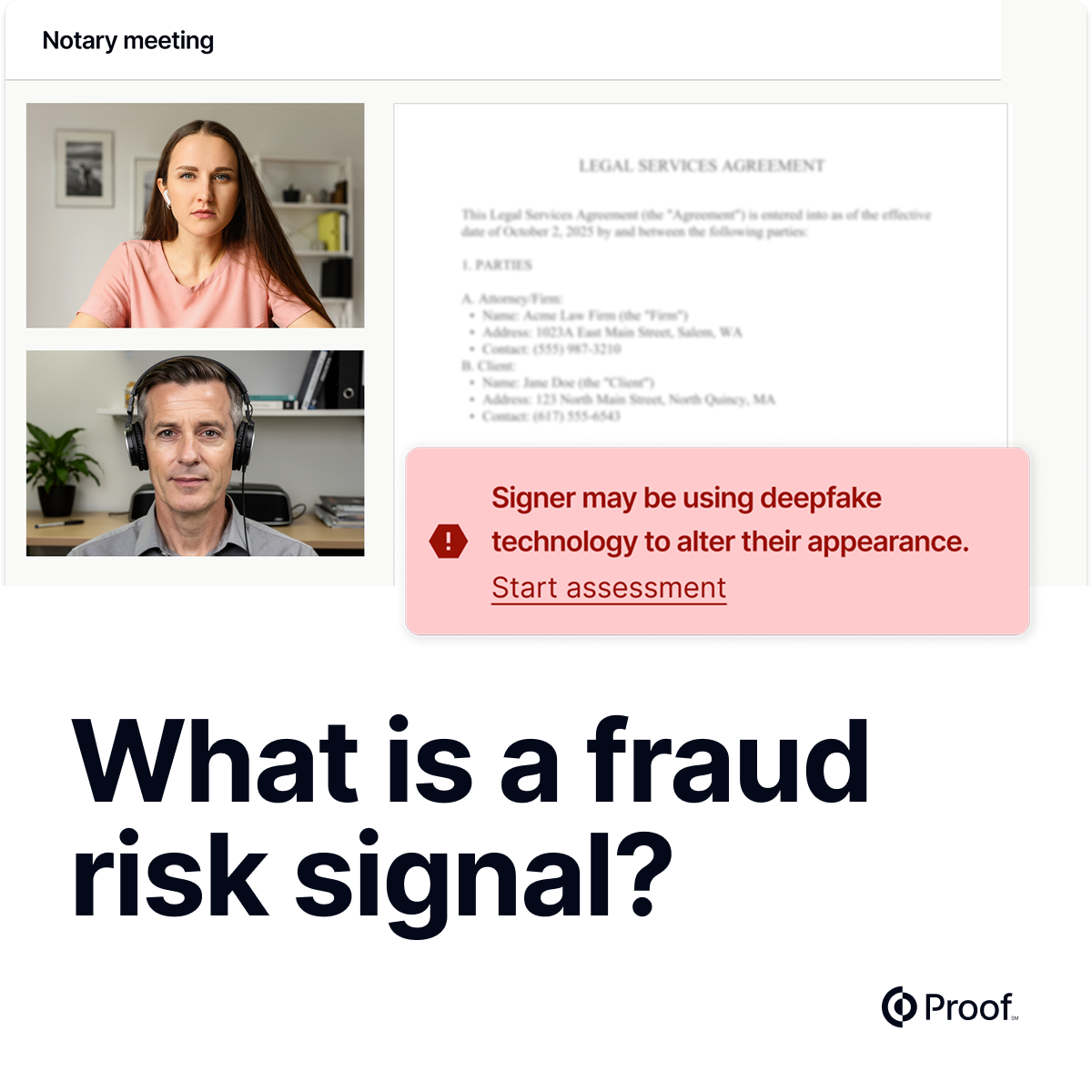
The Proof platform combines multi-factor authentication, encrypted two-way sessions with video recording, and meticulous record-keeping across every transaction. Identity verification runs 25 checks in under five seconds, including credential analysis and biometric comparison. Every completed session produces a tamper-evident audit record that documents who participated, what was signed, and when.




























.jpg)

















































.jpg)